
The "Which Floor?" Problem: How ChefDesk Seats Guests at Hyderabad's Busiest Restaurants
At Hyderabad's busiest restaurants, the hardest job on a weekend evening isn't in the kitchen — it's at the reception desk. One receptionist, four floors, and no way to see which tables are free. Here's how a QR code and a WhatsApp message replace the shouting, step by step.

A weekend evening at The Nawab's
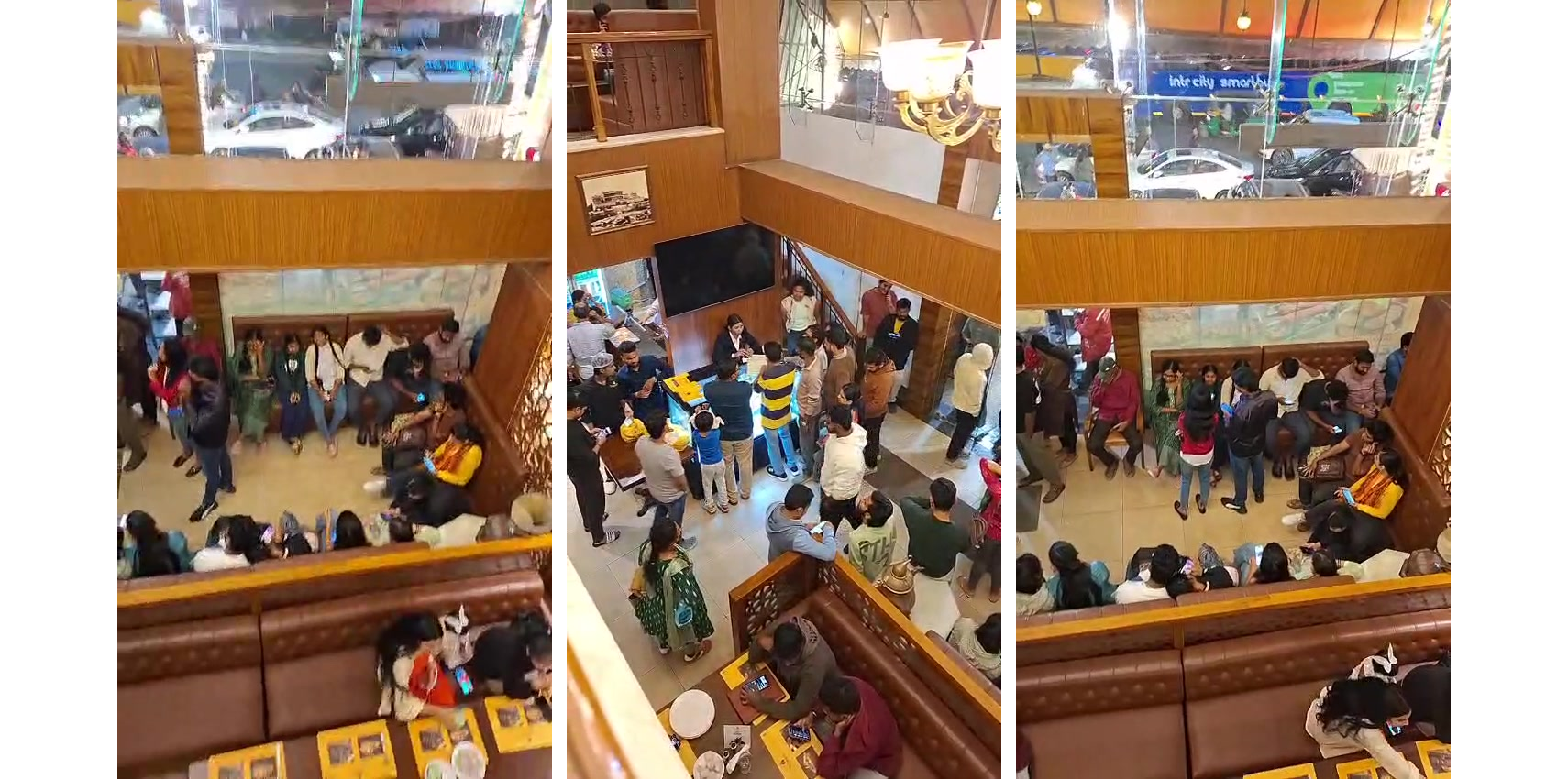
Take The Nawab's in Hyderabad, where the weekend footfall is phenomenal. These pictures are from a regular evening, looking down at the waiting area from an upper floor.
Here is what you see:
- Every sofa in the waiting area is taken, with families sitting shoulder to shoulder.
- A tight circle of guests stands around the reception desk, all asking for a table.
- More guests keep walking in from the street.
- In the middle of it all, one receptionist has to answer everyone at once.
And this is a restaurant that serves guests across three to four floors.
The real problem: which floor?
Imagine Rahul walks in with his family of six on a Saturday night.
The receptionist writes his name and number in the register. Now she has to find a 6-seater. The ground-floor dine-in looks full. She calls the first-floor family section, but the line is busy. She waves at a passing captain and asks about the third-floor lounge. "Maybe in ten minutes," he says.
Ten minutes later, Rahul asks again. And again. Finally someone shouts, "First floor!" His family climbs the stairs, with no table number, and stands there until a captain notices them.
This happens every few minutes, with every family, on every busy evening. The reasons are simple:
- Floors can't see each other. The receptionist has no view of which tables are free or about to be cleared upstairs.
- Phone calls and shouting are the only tools. Every booking means calls between floors and loud back-and-forth.
- Guests don't know when or where. So they crowd the counter and keep asking.
- Captains aren't ready. They don't know who is coming up, or for how many people.
- Guest details are lost. The register ends up in a drawer, and those numbers are never used again.
The new way: scan, book, get seated
ChefDesk Table Reservation puts every table on every floor on one screen at the reception. Guests book themselves with their phone, and WhatsApp tells them exactly which floor and which table to go to.
No app to download. No calls between floors. No shouting. Here is Rahul's evening again, this time with ChefDesk.
How it works, step by step
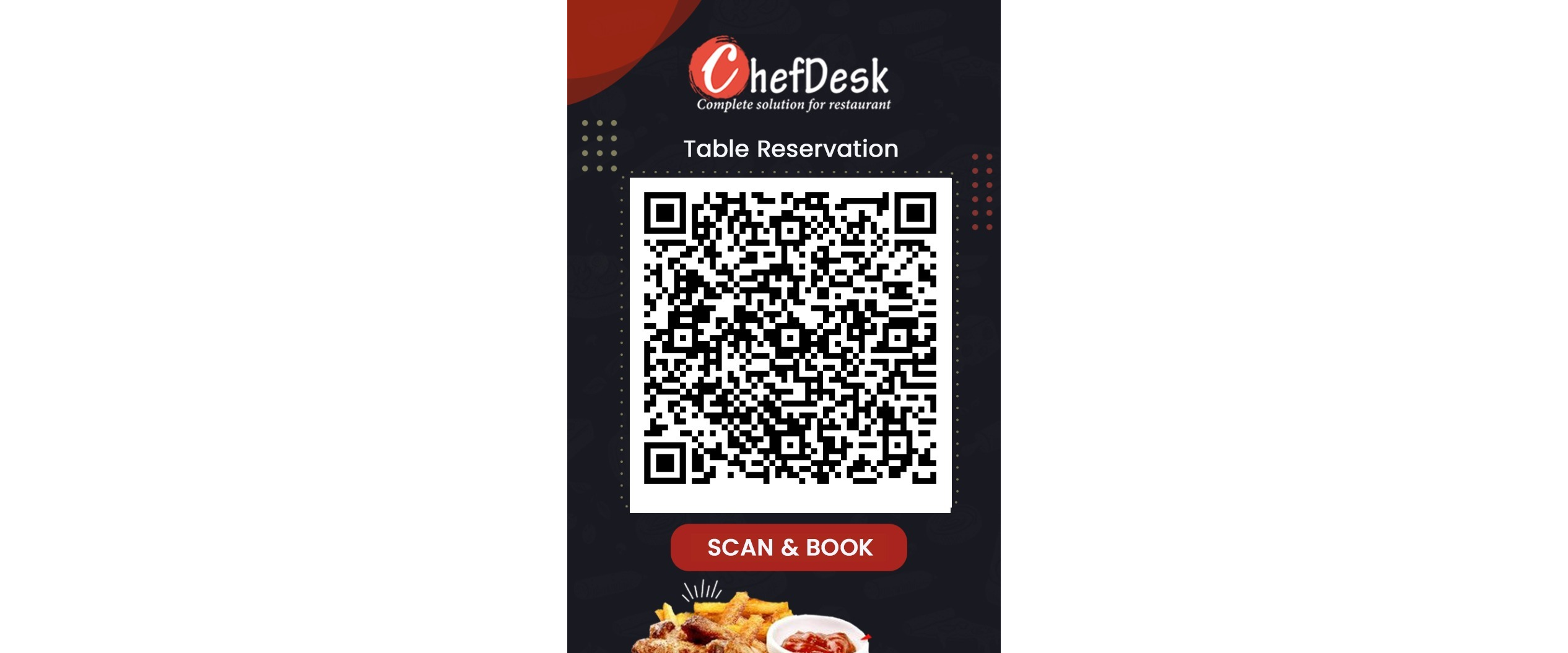
Step 1: Rahul scans the QR code at the reception
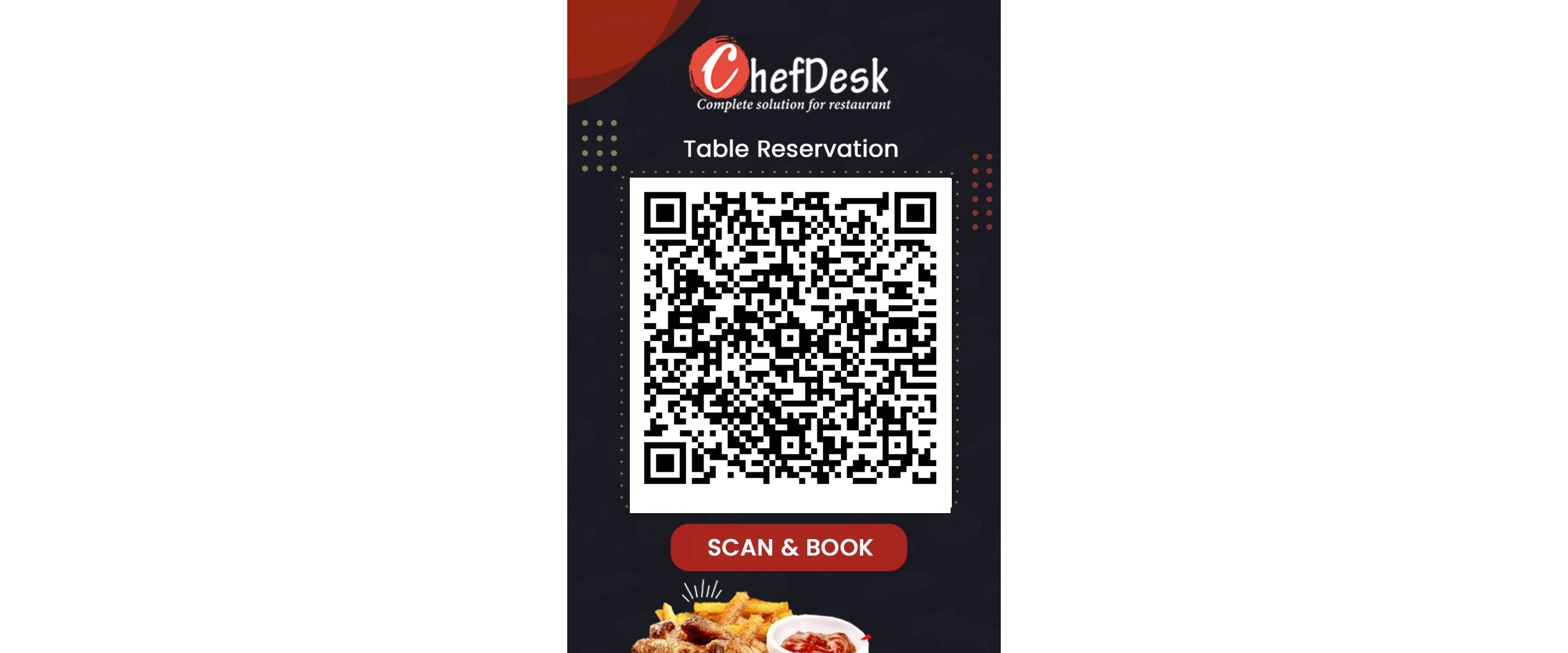
Instead of joining the crowd at the counter, Rahul points his phone camera at the "Scan & Book" standee.
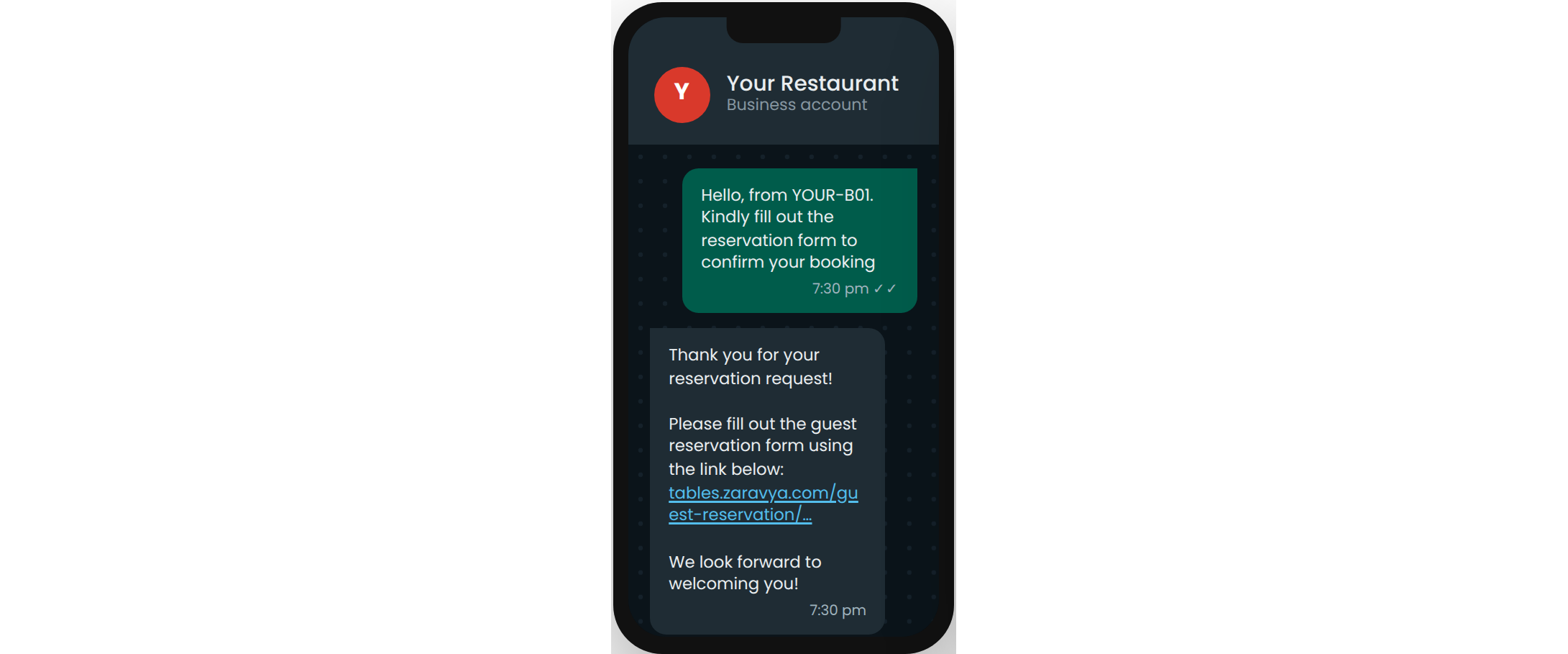
Step 2: WhatsApp opens and the restaurant replies instantly
WhatsApp opens with a message already typed. Rahul taps Send. Within seconds, the restaurant's own WhatsApp account replies with a booking link.
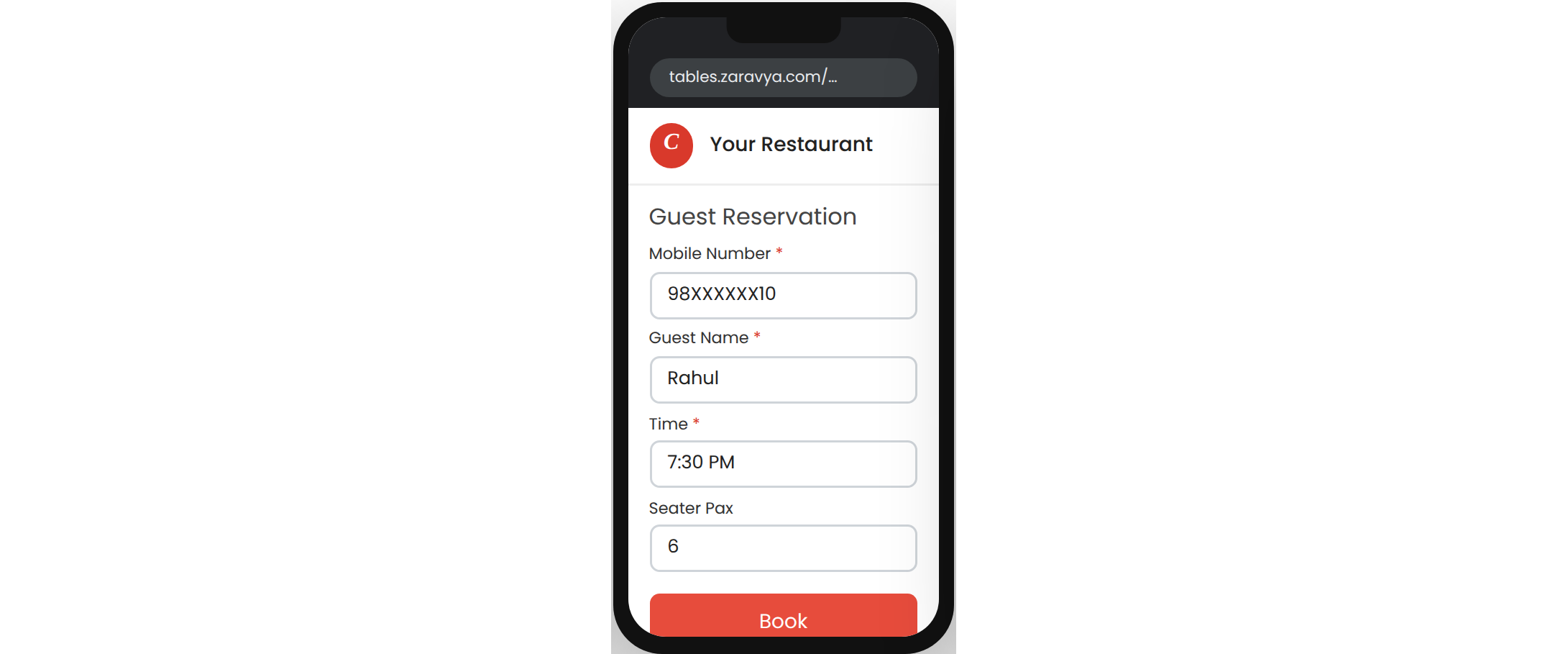
Step 3: He fills in four simple details
The link opens a short form in his phone's browser, with nothing to install: mobile number, name, time and number of guests. He enters 6 and taps Book.
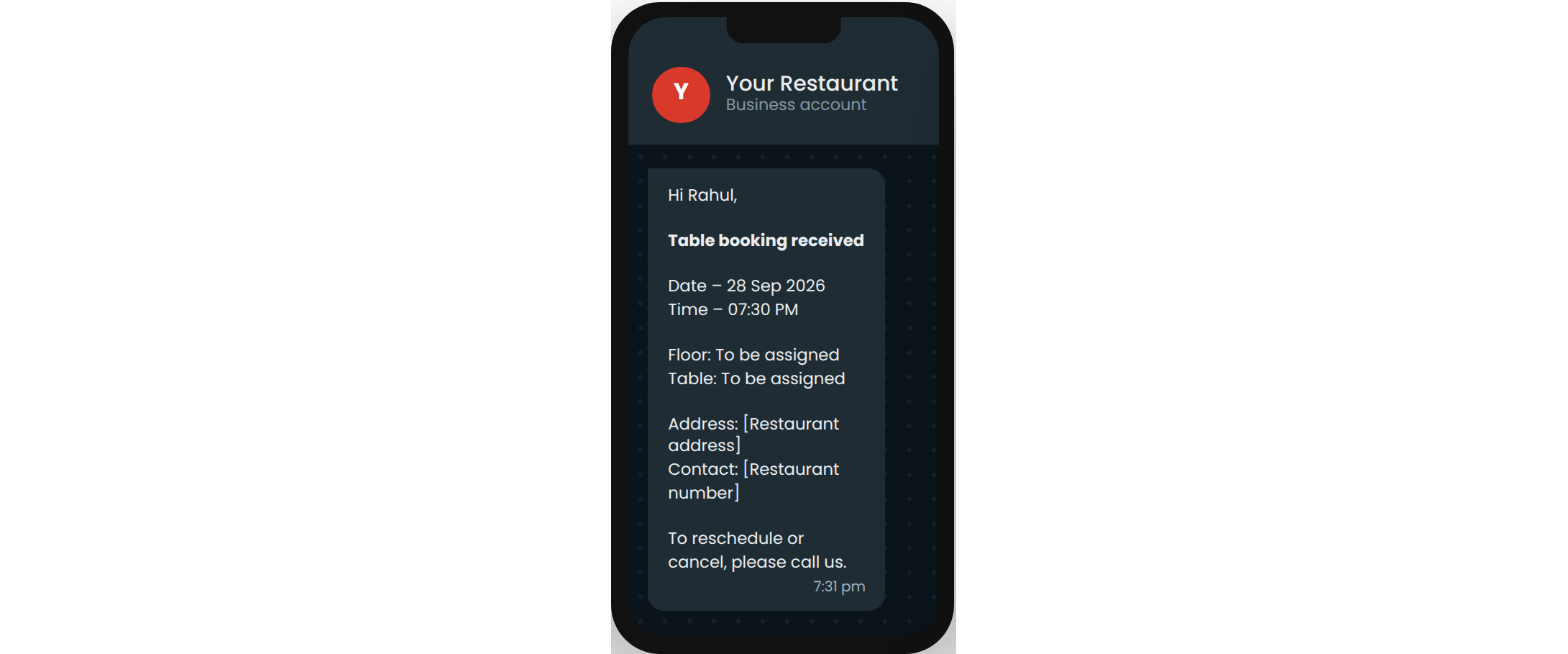
Step 4: He gets a "booking received" message
A WhatsApp message confirms his booking with the date, time, address and phone number. Rahul sits down with his family instead of standing at the counter.
Step 5: The receptionist sees every floor on one screen
Rahul's booking appears on the reception screen. With one tap, the receptionist switches between the floors: Dine-in (ground floor), Family (1st floor) and Lounge (3rd floor). Every table shows its status and number of seats.
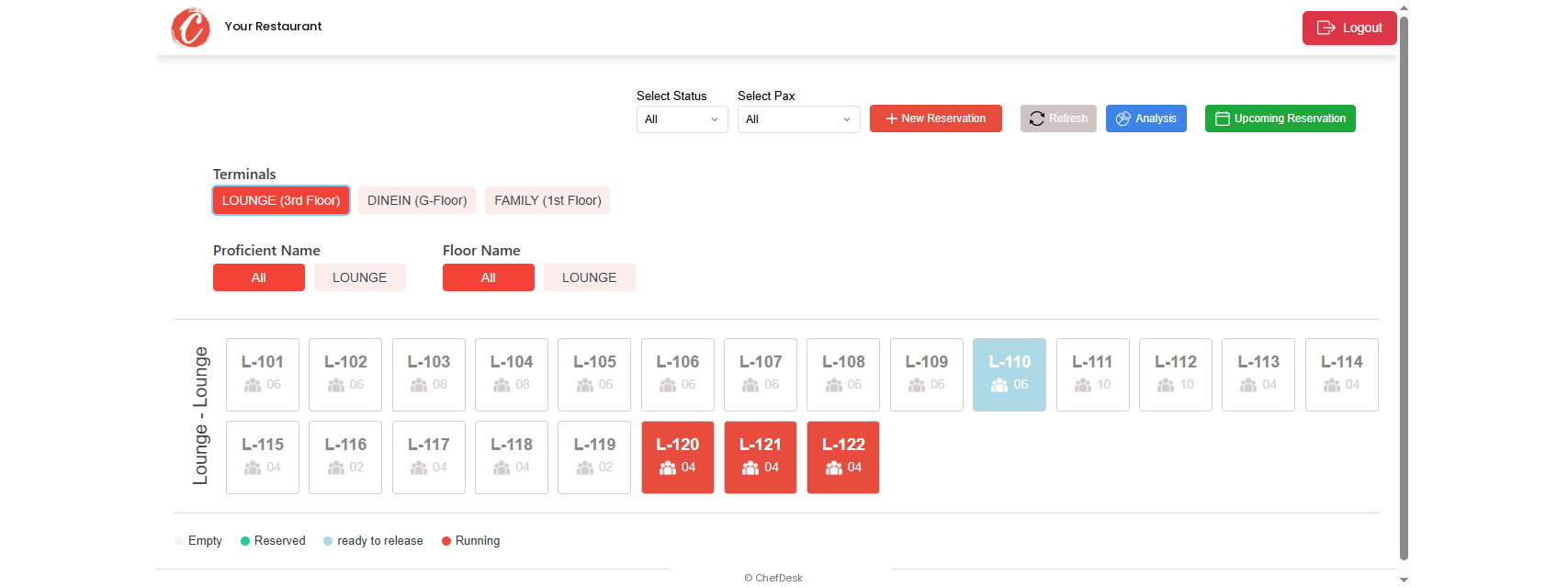
The colours tell her everything:
- Empty: the table is free
- Reserved: the table is held for a guest
- Ready to release: the guests are about to leave
- Running: guests are eating
She spots a 6-seater on the family floor that is about to be released. When it is cleared, she assigns it to Rahul. She doesn't call anyone, and she doesn't shout.
Step 6: Rahul gets his table number on WhatsApp
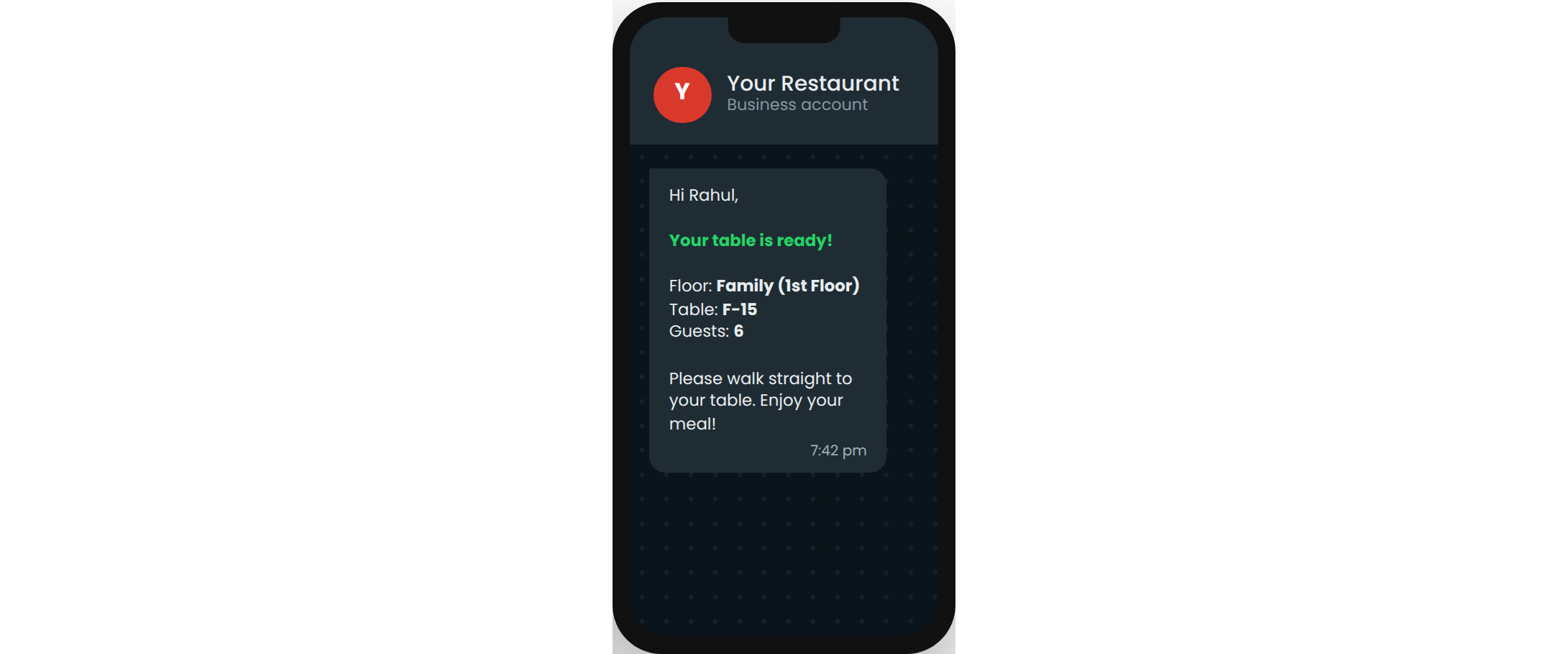
A second WhatsApp message arrives: "Your table is ready! Floor: Family (1st Floor), Table: F-15." Rahul's family walks straight up to the first floor and to table F-15. Nobody has to ask anyone.
Step 7: The captain upstairs already knows they are coming
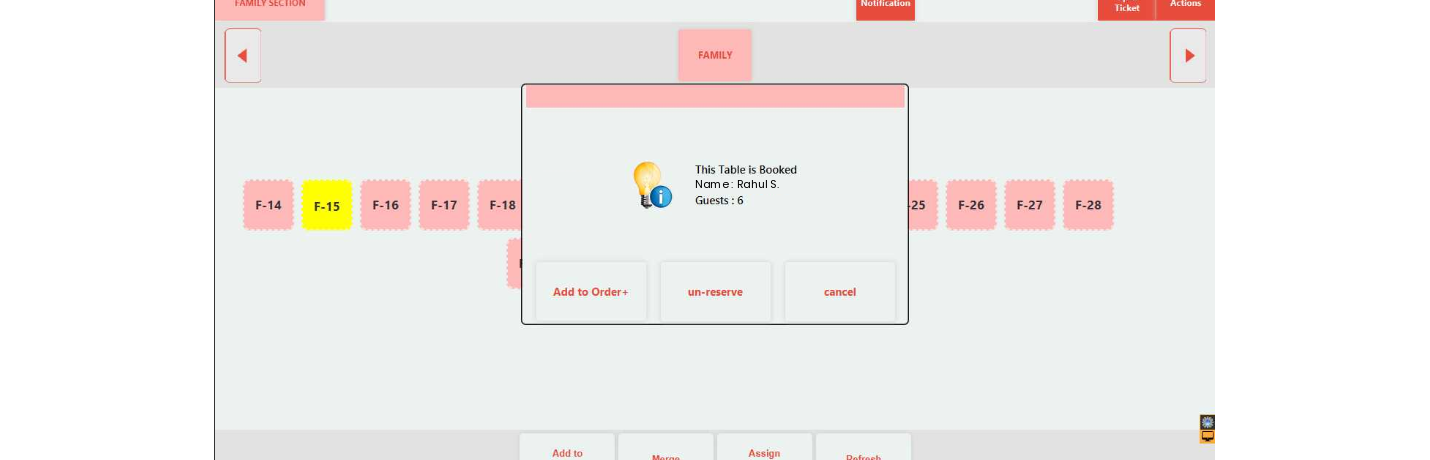
On the ChefDesk POS on the first floor, table F-15 is highlighted as reserved. The captain taps it and sees Rahul's name and 6 guests. The table is set, and the welcome is personal.
Step 8: The first order takes it from here
As soon as the captain places the first order, the table changes from Reserved to Running on its own. Nobody has to update anything by hand.
Bonus: plan ahead with upcoming reservations
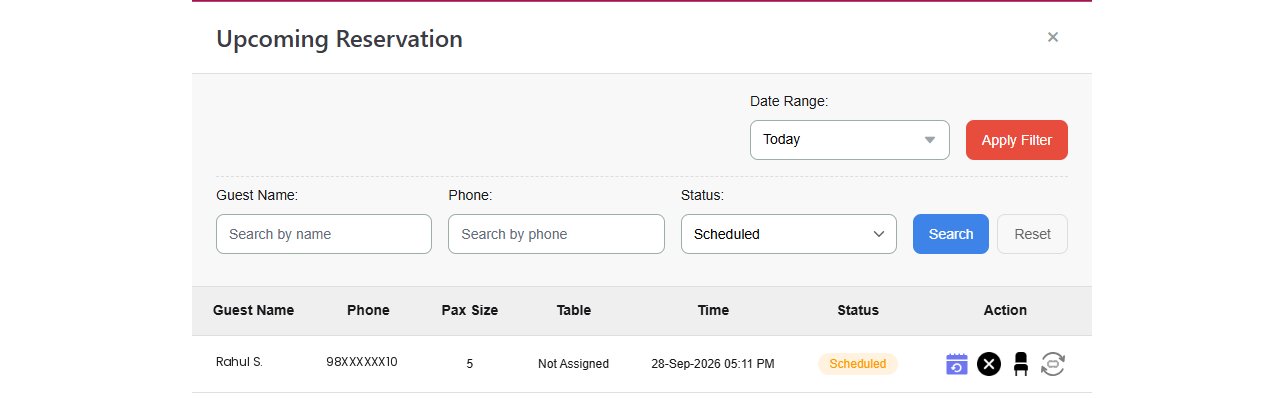
The same screen lists upcoming bookings too. Staff can search by name, phone or date, and reschedule, cancel or assign a table in one tap.
Every booking becomes a loyal customer
Here is the part restaurant owners love most. Every guest who scans the QR code is automatically added to the ChefDesk Loyalty system — no one has to type anything.
And because the restaurant's own WhatsApp Business account is linked, every message goes out in the restaurant's name. Later, the owner can use the same WhatsApp panel to send offers, festival greetings or "we miss you" messages to these guests.
The paper register that used to end up in a drawer now becomes a growing list of real customers.
Before and after at a glance
| Before | With ChefDesk | |
|---|---|---|
| Taking the booking | Name written in a paper register | Guest books by scanning a QR code |
| Finding a table | Calling each floor and shouting across the hall | Every table on every floor, on one screen |
| Telling the guest | Shouting out a floor, often no table number | Exact floor and table number on WhatsApp |
| Waiting guests | Crowding the counter | Waiting calmly for their message |
| Floor staff | Don't know who is coming | See the reserved table and the guest's name |
| Guest numbers | Lost at the end of the day | Saved in ChefDesk Loyalty |
Who benefits?
- Guests get a smooth, modern welcome and know exactly where to go.
- Receptionists stop juggling phone calls and angry questions.
- Captains are ready before the guest reaches the table.
- Owners get faster table turnover, a calmer front desk and a customer list they can use again and again.
Bring "Scan & Book" to your restaurant
ChefDesk Table Reservation works with your ChefDesk POS, billing and loyalty. It suits single restaurants as well as multi-floor outlets and chains, with a separate QR code and booking link for each branch.
We set up your QR standee, link your WhatsApp Business account and map your floors and tables for you.
How to publish your first Insights post